
Free movies, TV shows & live TV
Download the OnStream APK
for Android
Watch movies, TV shows, web series and live TV channels in one free app. Latest version 1.2.0,
lightweight and quick to install on phones, tablets and TV.
Scan the file before installing · Updated 21/09/2026 · Android 5.0+

OnStream
Version
1.2.0
Size
~17.6 MB
Requires
Android 5.0+
Price
Free
OnStream is a free streaming app for Android that pulls together movies, TV shows, web series and live TV channels in one place. It is not on the Google Play Store, so you install it manually using an APK file. This page covers what the OnStream APK is, how to download and install the current version, what it can actually do, how it runs on other devices, and the safety and legal points worth knowing before you use it.
# What Is OnStream APK?
The OnStream APK is the installer file (Android Package) used to add the OnStream app to your phone, tablet or streaming device. Because the OnStream app APK is not distributed through Google Play, you download this file from a website and sideload it, which takes about a minute on most devices.
It helps to be clear about what OnStream is and is not. It is a third-party app that gathers video links from around the web and plays them inside a simple, Netflix-style interface. It is not an official product from Netflix, Amazon Prime Video, Disney+ or any broadcaster, and it does not hold licences for most of what it shows. That is the reason it can offer a large library at no cost, and also why the safety and legal notes further down matter.
You will see the app written a few different ways online, including On Stream, Onstream, and the common misspellings Onsteam and Onstrem. These all point to the same kind of free streaming app covered here.
# OnStream APK File Details
Download pages currently list OnStream with the specifications below. Since there is no Play Store entry, exact figures can vary between sources and builds, so treat these as the commonly listed values rather than official numbers.
|
Detail |
Information |
|
App name |
OnStream |
|
Listed version |
1.2.0 |
|
File size |
Around 17.6 MB (varies by build) |
|
Requires |
Android 5.0 (Lollipop) or higher |
|
Category |
Entertainment / Streaming |
|
Price |
Free |
|
Account |
Not required to start watching |
|
Play Store |
Not available |
|
Status |
Unofficial, third-party app |
One thing worth flagging: several download sites advertise very large install counts, from 500,000 to over 100 million. None of those numbers are independently verified, so they are best ignored.
# Download OnStream APK (Latest Version)
The current OnStream APK build listed across download pages is version 1.2.0, built for Android 5.0 and above. Getting the file is simple, but where you get it from matters more than anything else.
This category attracts cloned and repackaged files, and a tampered APK can carry adware or worse. Before you install anything, keep these habits:
# OnStream App Download APK: Official Site vs APKPure
Two questions come up a lot around the OnStream app download APK. The first is whether there is an official site. OnStream has no single verified home, so any page calling itself the OnStream APK official site is really just one of many mirrors. Judge it by how it behaves: a trustworthy page keeps the download clear, does not force surveys, and does not bury the button under pop-ups.
The second is the OnStream APK APKPure listing. You may find OnStream on stores like APKPure, and those listings can differ in version number and file size from the build shown on download pages. If you use one, still scan the file, since a store listing is not a guarantee of a clean file.
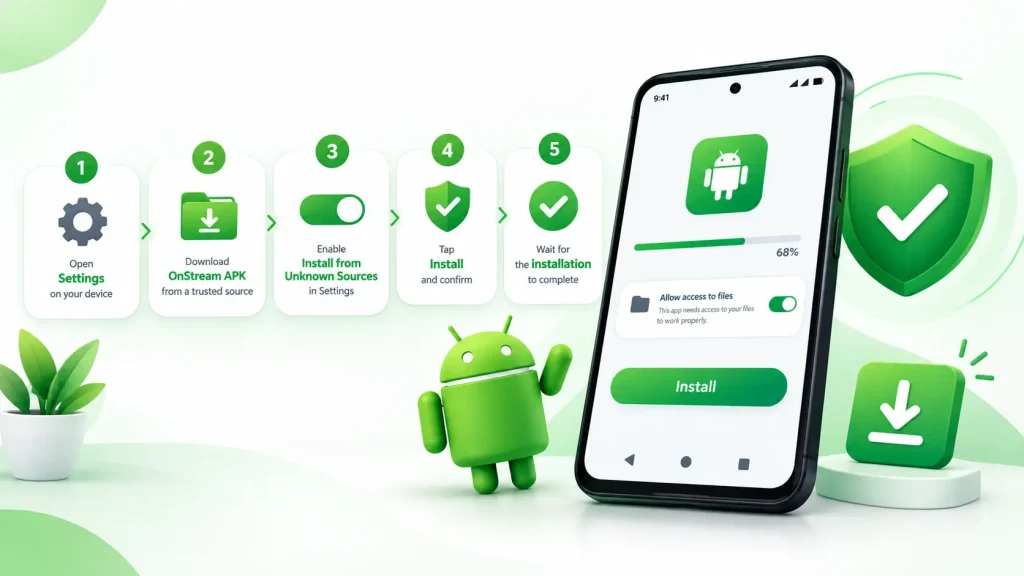
# How to Install OnStream on Android
Installing the OnStream APK is different from a Play Store install because your phone blocks outside apps by default. Turning that off for one install takes a moment.
1
Open your device Settings and allow installation from unknown sources. On Android 5 to 11 this sits under Security. On Android 12, 13 and 14 you approve it per app during the install.
2
Download the OnStream APK file from a trusted page.
3
Open the file from your notification bar or the Downloads folder in your file manager.
4
Tap Install, and confirm the source if you are prompted.
5
Wait for the install to finish, then open the app and start browsing.
If Google Play Protect shows a warning during install, that is normal for any app from outside the store. You can choose Install anyway, but only do so when you trust the file’s source.
# OnStream APK Latest Version and Updates
The app does not update itself through a store, so keeping the OnStream APK latest version installed is a manual job. When a new build appears, download it and install it over the old one; your saved data usually stays in place. Running the newest release matters more here than with normal apps, because when the service changes its servers, older builds are the first to stop loading.
If a new version misbehaves on an older phone, an OnStream APK old version can be more stable. The versions guide lists how to move between the latest and older releases safely.
# Key Features of the OnStream App
The features below reflect what the OnStream APK consistently offers across the app and current listings. This list leaves out the invented extras and unverifiable claims some pages add.
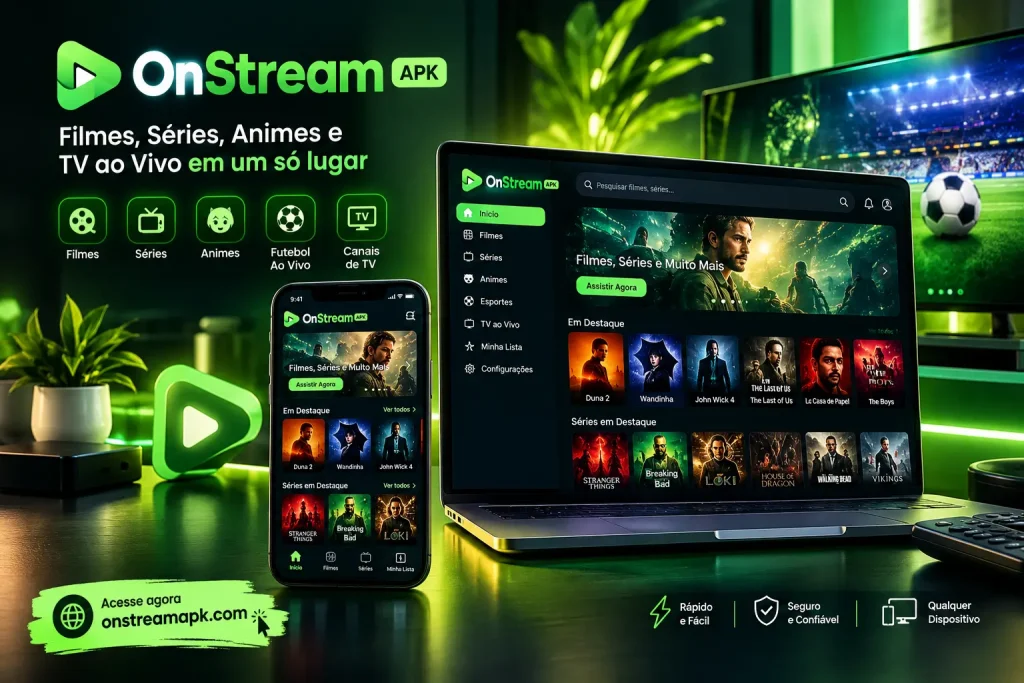
Large Library of Movies, Shows and Web Series
The app pulls together a broad catalogue of films, TV shows and web series across action, comedy, drama, horror, romance and animation. New titles are added regularly, and everything is grouped into categories, so you can find something to watch without endless scrolling.
Free Live TV Channels
Alongside on-demand content, OnStream carries live TV channels covering entertainment, news and sport. Channel line-ups shift often, since the feeds come from third-party sources, but live TV is one of the reasons people install the app rather than sticking to on-demand services.
HD Streaming Quality
Most titles play from standard definition up to HD, with the exact quality depending on the source link and your connection. A quality selector lets you drop the resolution on a slow network to cut buffering, or raise it on Wi-Fi for a sharper picture.
Multiple Streaming Servers
Each title usually offers more than one streaming server. If a link is slow, buffering or down, you can switch to another source inside the player instead of losing the video, which makes playback steadier than a single-source app.
Subtitles and Multi-Language Support
Many films and series include subtitles in several languages, and the catalogue carries content in more than one language. Subtitles are toggled in the player, which helps with foreign-language titles and makes the OnStream app usable for a wider audience.
Offline Downloads
Supported titles can be downloaded over Wi-Fi and watched later without an internet connection. This is useful for travel, for saving mobile data, or for keeping a few movies ready on a phone with a weak signal.
Cast to a TV for Big-Screen Viewing
You can send playback from your phone to a television by connecting both to the same Wi-Fi network. For a full install on the TV itself, including Fire TV Stick and Android TV, see the OnStream for TV guide.
Lightweight and Fast
At the size listed on download pages, the OnStream APK is small next to many streaming apps. It installs in seconds, uses little storage, and runs on older or budget Android phones without slowing them down.
Simple, Beginner-Friendly Interface
The layout is clean and easy to move through, with clear categories, a search bar, and a home screen that surfaces trending titles. Someone opening the app for the first time can start watching without a learning curve.
No Account Needed to Start Watching
You can open the app and play something straight away, with no registration or email required. Any sign-in that appears is optional and used to sync your list across devices, which is covered on the OnStream login page.
A note on two claims you will see elsewhere. Some pages promise the app is completely ad-free. In practice, ad behaviour changes between versions and servers, and the download pages themselves often show ads, so a fully ad-free experience is not guaranteed. Other pages list paid “Basic, Premium and Diamond” subscription tiers. The app is free to use, and those tiers are not something we can verify, so they are left out here.
# What You Can Watch on OnStream
The catalogue is broad rather than specialised:
Because the app pulls from third-party sources, availability is not guaranteed. A title that plays today may not be there next week, and some links load faster than others.
# Advantages of Using OnStream
The appeal comes down to cost, convenience and range.
# OnStream on Other Devices
The OnStream APK on this page is for Android phones and tablets, but the app can run elsewhere too. Each route has its own guide:
# Do You Need an Account to Use OnStream?
You can open OnStream and start watching without creating an account, which is one of its main draws. If a version asks you to sign in, that step is normally optional and used to sync your watchlist or history across devices rather than to unlock the app. Full sign-in steps and common login issues are covered on the OnStream login page.
Whatever the version does, avoid entering sensitive details. There is no reason to give payment information to a free streaming app, and any page that demands it before you can watch should be closed.
# Is OnStream Safe to Use?
Safety comes down to two things: the file and the sources it streams from.
The OnStream APK itself is best treated as unverified rather than proven safe. The real risk is a tampered APK from an untrusted site, so download from a page you trust, keep to the latest version, and scan the file before installing. Leaving Google Play Protect switched on adds another layer of checking. For a fuller breakdown, see is OnStream safe.
Because the app plays from third-party servers, you may also meet intrusive ads or pop-ups. A browser or device with a good ad blocker helps, and a VPN is worth using to keep your connection private, especially if the service is blocked in your region.
# Is OnStream Legal?
OnStream provides access to films and shows without holding licences for them, and it is not authorised by the platforms or broadcasters whose content appears. Whether that is legal depends on where you live and your local copyright laws. In many regions, streaming or downloading unlicensed content is an infringement, and the responsibility for how the app is used sits with the user. If guaranteed legal viewing matters to you, a licensed service is the safer route.
# OnStream vs Paid Streaming Services
The trade-offs are easier to see side by side.
|
Point |
OnStream |
Netflix / Prime Video |
|
Price |
Free |
Paid subscription |
|
Content licensing |
Unlicensed |
Licensed |
|
Account required |
No |
Yes |
|
On official app stores |
No |
Yes |
|
Video quality |
Up to HD, varies by source |
SD to 4K, consistent |
|
Reliability |
Varies, servers can drop |
Stable |
The honest summary: OnStream wins on cost and needs no sign-up, while paid services win on reliability, quality and staying on the right side of the law.
# OnStream Not Working? Common Problems and Fixes
Most issues have a quick fix. Work through these in order.
# OnStream Alternatives
If OnStream is unavailable or missing a title, a few other apps cover similar ground, with the same kind of risks. Stremio and Kodi are more customisable and rely on add-ons, while apps like Cinema HD and HD Streamz focus on movies and live TV. For safe, legal options as well, see the OnStream alternatives page.
# OnStream Pros and Cons
Weighed up honestly, here is where the app helps and where it falls short.
Pros
Cons
# Frequently Asked Questions
# The Bottom Line
OnStream is a capable free streaming app with a broad library of movies, shows and live TV, offline downloads, and support across phones, TVs and PCs. It is also an unofficial app that relies on unlicensed content and third-party servers, so reliability and safety are not guaranteed. If you decide to use it, download only the latest version from a source you trust, scan the file, keep a VPN and ad blocker handy, and weigh the legal position where you live. For anyone who would rather avoid the risk entirely, a licensed streaming service remains the safer way to watch.